

You will receive an email with this information as well
Hello and Welcome
Thank you for contacting us and choosing us to partner with you on your health journey. We are honored and are here to hold the container of support as you work hard to heal yourself.
If you haven’t already done so, please familiarize yourself with what functional medicine is by visiting our website as well as reviewing our practice policies and fees.
Please follow the steps below to complete your new patient registration.
Step 1 – Register
Click on the link below and register with Functional Medicine SF
https://patientsdrstephaniedaniel.md-hq.com/registration
During this registration process you will create a username and password for future use.
You will receive an email to confirm your email address
Complete the registration form, sign with your finger or mouse and Select 
Step 2 – Confirm Account Information
Login with username and password you created during registration process
https://patientsdrstephaniedaniel.md-hq.com
Confirm your Account Details are correct & Please upload a picture by clicking the  Icon.
Icon.
Step 3 – Adding past relevant Labs and Documents (prior 6 months)
Click on the  then
then  and upload a .PDF version of your lab or documentation.
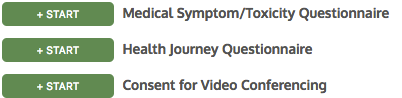
Step 4 – Complete the Questionnaires
Click on “ ” (on the right side of screen) and submit the following forms
Step 5 Add Medications and Supplements
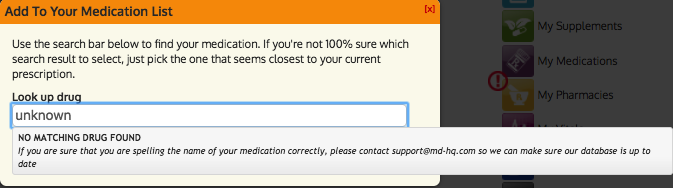
Click on the icon and add any current medications you are taking by clicking the
  button and adding them to the input box.
Note: If your medications are not in the database please choose
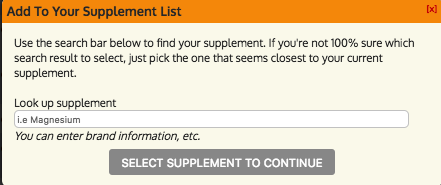
Click on the  icon and add any supplements you are currently taking by clicking the
  button and adding them to the input box.
Note: If your supplements are not in the database please choose
Step 6 Add your preferred pharmacy
Click on the  icon and add you preferred pharmacy by clicking the
  button.
Step 7 Setting up your New Patient Appointment
Click then click
Send us a message saying “HI” and that you are ready to schedule your new patient appointment.
We will reply in the Secure Messenger with a welcome message and available times for your New Patient Appointment.
Please reply to this message with what time works best for you so we may reserve your appointment time.
We will send you communication via theto confirm your appointment.
Moving forward you will be able to schedule your follow-ups via the  request icon.
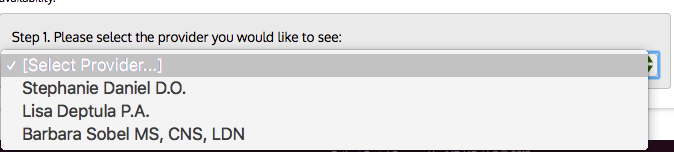
Select your preferred provider
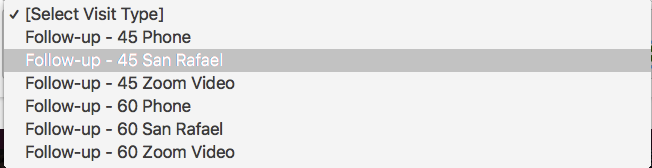
Appointment Type
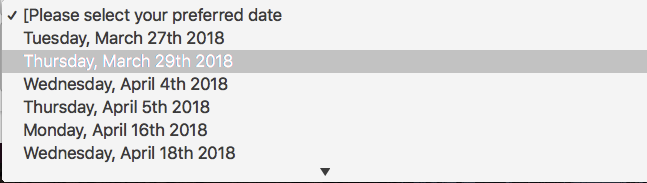
Appointment Date
And then preferred time
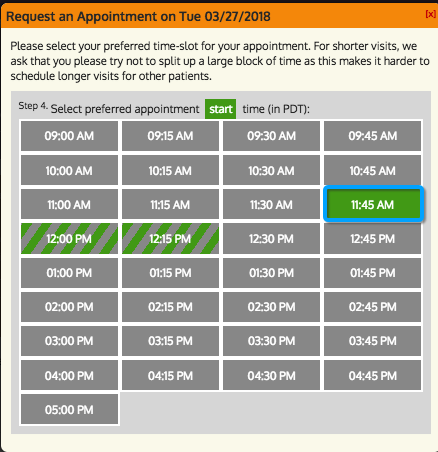
Note: Please select the times with the solid green.
We will send you communication via the to confirm your appointment.
Please feel free to contact us with any questions. We look forward to serving you!
Sincerely,
Stephanie Daniel &
The Functional Medicine SF Family
Click on the link below and register with Functional Medicine SF